
Palette
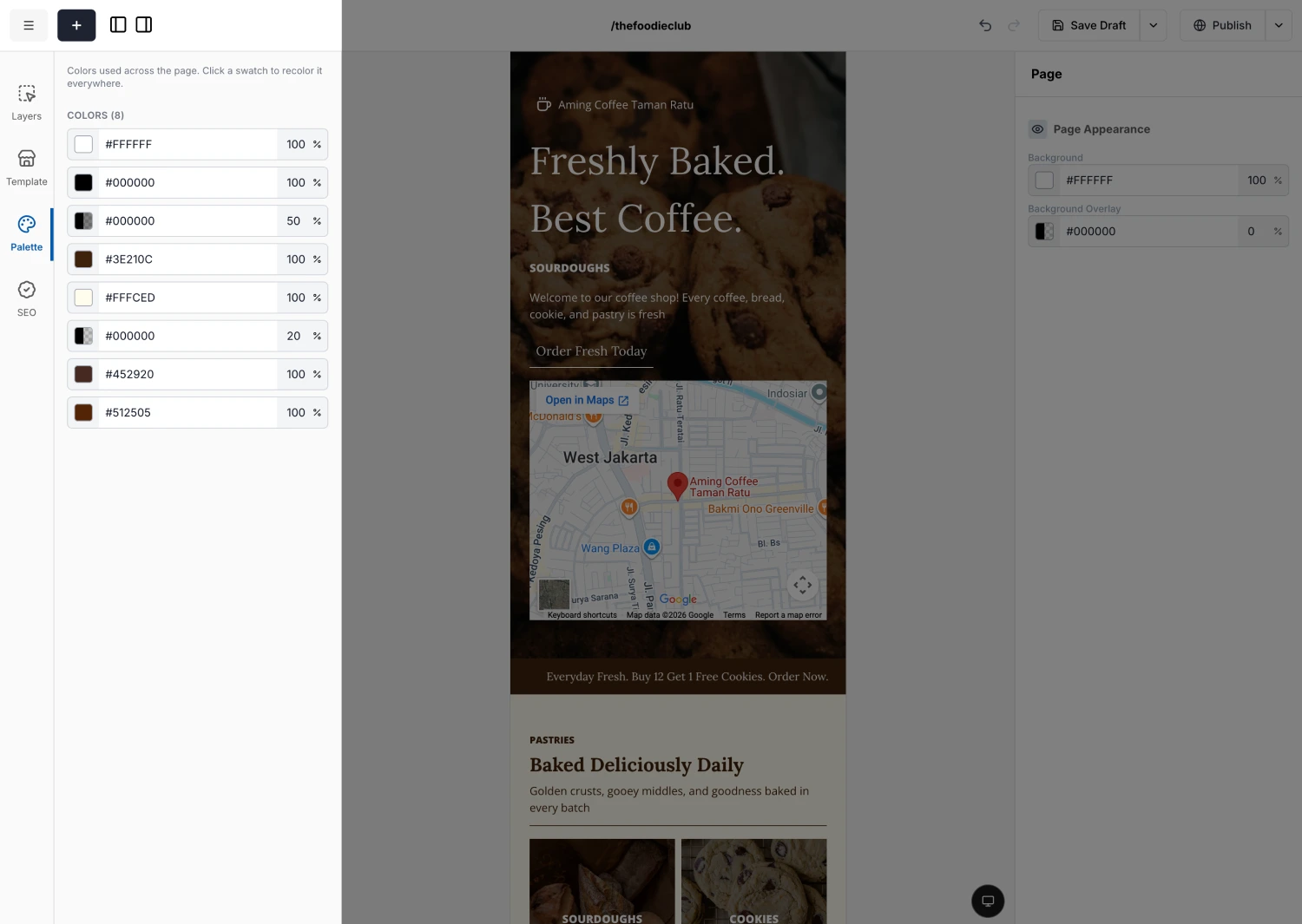
Palette is a find-and-replace for colors. Instead of opening every block to change a color, you pick a color once and swap it everywhere it appears.
How it works
The panel scans for the colors in use and lists them as swatches. Click a swatch, choose a new color, and every matching color updates at once.
What "everywhere" means depends on your selection:
Nothing selected
You are changing global colors. A swap recolors that color across the whole page.
A block selected
You are changing that block's colors only. A swap recolors matches within the selected block and everything inside it.
Palette is the quickest way to rebrand a page. Set your color scheme, then swap the old brand color for the new one in a single click.